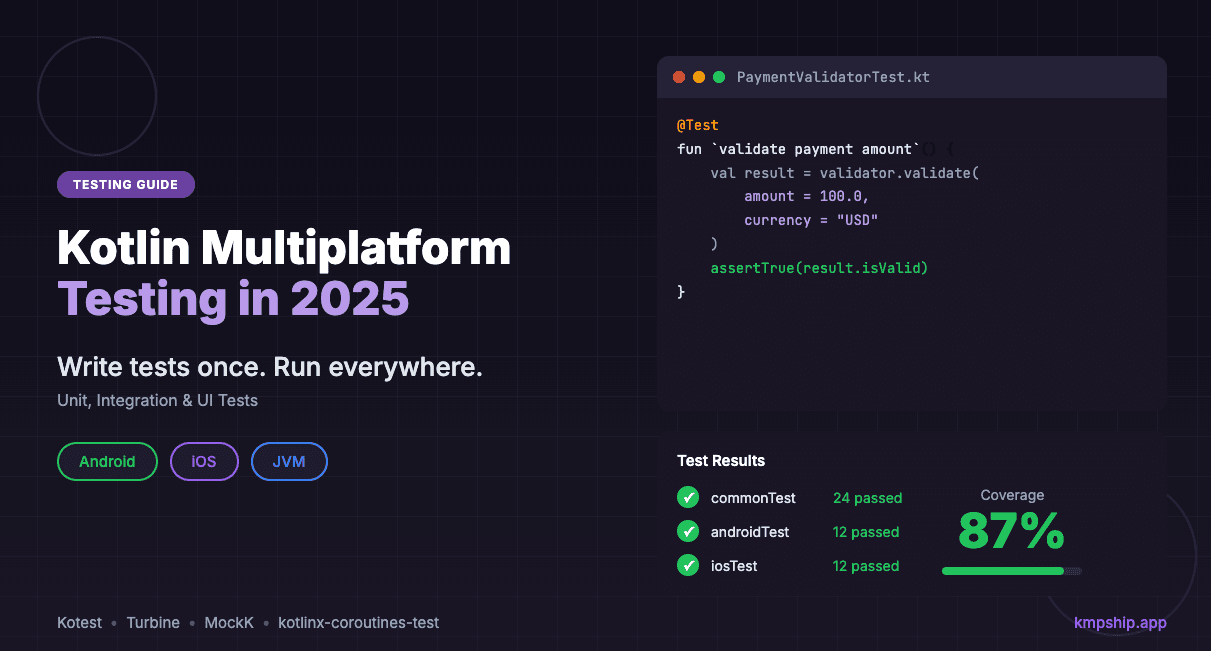
Kotlin Multiplatform Testing in 2025: Complete Guide to Unit, Integration & UI Tests
Master KMP testing with this complete guide. Learn to write shared tests once, run everywhere. Includes Kotest, Turbine, and MockK examples with real production patterns.
Posted by
 Vivien Mahé
Related reading
Set up a Kotlin Multiplatform SQLDelight database
Learn how to set up a Kotlin Multiplatform SQLDelight database with CRUD operations, migrations, and platform-specific drivers.
Kotlin Multiplatform image loading with Coil 3 in 2026
Learn how to load and cache images in Kotlin Multiplatform using Coil 3 with this comprehensive guide for Compose Multiplatform.
Kotlin Multiplatform in-app purchases with RevenueCat
Learn how to implement in-app purchases and subscriptions in your Kotlin Multiplatform app using RevenueCat with our step-by-step guide.
Why testing matters even more in multiplatform code
The testing paradox in cross-platform development
The three layers of KMP testing
Layer 1: Unit tests for shared business logic
commonTest source setLayer 2: Integration tests for platform interaction
commonTest for shared behavior, androidTest/iosTest for platform specificsLayer 3: UI tests (native or shared)
commonTest for Compose MultiplatformSetting up your KMP testing environment
Build configuration for testing
build.gradle.kts in the shared module needs proper test dependencies:kotlinkotlin { // Your existing platform targets androidTarget() iosArm64() iosSimulatorArm64() sourceSets { // Common tests - run on ALL platforms commonTest.dependencies { implementation(kotlin("test")) // Kotest for expressive assertions implementation("io.kotest:kotest-assertions-core:5.8.0") // Turbine for testing Flows implementation("app.cash.turbine:turbine:1.0.0") // Coroutine testing implementation("org.jetbrains.kotlinx:kotlinx-coroutines-test:1.8.0") // MockK multiplatform support implementation("io.mockative:mockative:2.0.1") } // Android-specific test dependencies androidUnitTest.dependencies { implementation("junit:junit:4.13.2") implementation("io.mockk:mockk:1.13.9") implementation("androidx.test:core:1.5.0") } // iOS-specific test dependencies (if needed) iosTest.dependencies { // Usually empty - commonTest covers most cases } } }
Project structure for testability
shared/
├── src/
│   ├── commonMain/
│   │   └── kotlin/
│   │       ├── domain/
│   │       │   ├── PaymentProcessor.kt
│   │       │   └── OrderValidator.kt
│   │       └── data/
│   │           ├── repository/
│   │           └── network/
│   │
│   ├── commonTest/          ← Most tests go here
│   │   └── kotlin/
│   │       ├── domain/
│   │       │   ├── PaymentProcessorTest.kt
│   │       │   └── OrderValidatorTest.kt
│   │       └── data/
│   │           ├── repository/
│   │           └── network/
│   │
│   ├── androidUnitTest/     ← Android-specific tests only
│   │   └── kotlin/
│   │
│   └── iosTest/             ← iOS-specific tests only
│       └── kotlin/
commonTest by default. Only use platform-specific test directories when absolutely necessary.Unit testing shared business logic: Real examples
Example 1: Testing a payment validator (like McDonald's uses)
kotlin// shared/src/commonMain/kotlin/domain/PaymentValidator.kt class PaymentValidator { sealed class ValidationResult { data object Valid : ValidationResult() data class Invalid(val errors: List<ValidationError>) : ValidationResult() } enum class ValidationError { AMOUNT_TOO_LOW, AMOUNT_TOO_HIGH, INVALID_CURRENCY, CARD_EXPIRED, INSUFFICIENT_FUNDS } fun validate( amount: Double, currency: String, cardExpiryMonth: Int, cardExpiryYear: Int, availableBalance: Double ): ValidationResult { val errors = mutableListOf<ValidationError>() // Amount validation if (amount <= 0.0) errors.add(ValidationError.AMOUNT_TOO_LOW) if (amount > 10000.0) errors.add(ValidationError.AMOUNT_TOO_HIGH) // Currency validation if (currency !in listOf("USD", "EUR", "GBP")) { errors.add(ValidationError.INVALID_CURRENCY) } // Expiry validation val currentYear = getCurrentYear() val currentMonth = getCurrentMonth() if (cardExpiryYear < currentYear || (cardExpiryYear == currentYear && cardExpiryMonth < currentMonth)) { errors.add(ValidationError.CARD_EXPIRED) } // Balance validation if (amount > availableBalance) { errors.add(ValidationError.INSUFFICIENT_FUNDS) } return if (errors.isEmpty()) { ValidationResult.Valid } else { ValidationResult.Invalid(errors) } } // Platform-agnostic date helpers private fun getCurrentYear(): Int = 2025 // In real code, use expect/actual private fun getCurrentMonth(): Int = 1 }
kotlin// shared/src/commonTest/kotlin/domain/PaymentValidatorTest.kt import io.kotest.matchers.shouldBe import io.kotest.matchers.types.shouldBeInstanceOf import kotlin.test.Test class PaymentValidatorTest { private val validator = PaymentValidator() @Test fun `valid payment passes all checks`() { val result = validator.validate( amount = 50.0, currency = "USD", cardExpiryMonth = 12, cardExpiryYear = 2026, availableBalance = 100.0 ) result.shouldBeInstanceOf<PaymentValidator.ValidationResult.Valid>() } @Test fun `zero amount is rejected`() { val result = validator.validate( amount = 0.0, currency = "USD", cardExpiryMonth = 12, cardExpiryYear = 2026, availableBalance = 100.0 ) result.shouldBeInstanceOf<PaymentValidator.ValidationResult.Invalid>() val invalid = result as PaymentValidator.ValidationResult.Invalid invalid.errors shouldBe listOf(PaymentValidator.ValidationError.AMOUNT_TOO_LOW) } @Test fun `amount exceeding limit is rejected`() { val result = validator.validate( amount = 15000.0, currency = "USD", cardExpiryMonth = 12, cardExpiryYear = 2026, availableBalance = 20000.0 ) result.shouldBeInstanceOf<PaymentValidator.ValidationResult.Invalid>() val invalid = result as PaymentValidator.ValidationResult.Invalid invalid.errors shouldBe listOf(PaymentValidator.ValidationError.AMOUNT_TOO_HIGH) } @Test fun `unsupported currency is rejected`() { val result = validator.validate( amount = 50.0, currency = "JPY", cardExpiryMonth = 12, cardExpiryYear = 2026, availableBalance = 100.0 ) result.shouldBeInstanceOf<PaymentValidator.ValidationResult.Invalid>() val invalid = result as PaymentValidator.ValidationResult.Invalid invalid.errors shouldBe listOf(PaymentValidator.ValidationError.INVALID_CURRENCY) } @Test fun `expired card is rejected`() { val result = validator.validate( amount = 50.0, currency = "USD", cardExpiryMonth = 12, cardExpiryYear = 2024, availableBalance = 100.0 ) result.shouldBeInstanceOf<PaymentValidator.ValidationResult.Invalid>() val invalid = result as PaymentValidator.ValidationResult.Invalid invalid.errors shouldBe listOf(PaymentValidator.ValidationError.CARD_EXPIRED) } @Test fun `insufficient balance is rejected`() { val result = validator.validate( amount = 150.0, currency = "USD", cardExpiryMonth = 12, cardExpiryYear = 2026, availableBalance = 100.0 ) result.shouldBeInstanceOf<PaymentValidator.ValidationResult.Invalid>() val invalid = result as PaymentValidator.ValidationResult.Invalid invalid.errors shouldBe listOf(PaymentValidator.ValidationError.INSUFFICIENT_FUNDS) } @Test fun `multiple validation errors are accumulated`() { val result = validator.validate( amount = 15000.0, currency = "JPY", cardExpiryMonth = 12, cardExpiryYear = 2024, availableBalance = 100.0 ) result.shouldBeInstanceOf<PaymentValidator.ValidationResult.Invalid>() val invalid = result as PaymentValidator.ValidationResult.Invalid // Should catch all four errors invalid.errors.size shouldBe 4 invalid.errors.toSet() shouldBe setOf( PaymentValidator.ValidationError.AMOUNT_TOO_HIGH, PaymentValidator.ValidationError.INVALID_CURRENCY, PaymentValidator.ValidationError.CARD_EXPIRED, PaymentValidator.ValidationError.INSUFFICIENT_FUNDS ) } }
Example 2: Testing async code with Kotlin Flows (like Netflix uses)
kotlin// shared/src/commonMain/kotlin/data/OrderRepository.kt import kotlinx.coroutines.flow.Flow import kotlinx.coroutines.flow.flow import kotlinx.coroutines.delay class OrderRepository( private val api: OrderApi, private val database: OrderDatabase ) { fun observeOrderStatus(orderId: String): Flow<OrderStatus> = flow { // Emit initial status from database val cachedStatus = database.getOrderStatus(orderId) if (cachedStatus != null) { emit(cachedStatus) } // Poll API every 5 seconds for updates while (true) { try { val freshStatus = api.fetchOrderStatus(orderId) database.saveOrderStatus(orderId, freshStatus) emit(freshStatus) delay(5000) } catch (e: Exception) { emit(OrderStatus.Error(e.message ?: "Unknown error")) break } } } } sealed class OrderStatus { data object Pending : OrderStatus() data object Processing : OrderStatus() data object Completed : OrderStatus() data class Error(val message: String) : OrderStatus() }
kotlin// shared/src/commonTest/kotlin/data/OrderRepositoryTest.kt import app.cash.turbine.test import io.kotest.matchers.shouldBe import kotlinx.coroutines.test.runTest import kotlin.test.Test import kotlin.time.Duration.Companion.seconds class OrderRepositoryTest { @Test fun `observeOrderStatus emits cached value first`() = runTest { // Given val mockApi = FakeOrderApi() val mockDatabase = FakeOrderDatabase().apply { saveOrderStatus("order-123", OrderStatus.Processing) } val repository = OrderRepository(mockApi, mockDatabase) // When/Then repository.observeOrderStatus("order-123").test { // First emission should be cached value awaitItem() shouldBe OrderStatus.Processing // Cancel to avoid waiting for next emission cancelAndIgnoreRemainingEvents() } } @Test fun `observeOrderStatus polls API and emits updates`() = runTest { // Given val mockApi = FakeOrderApi().apply { scheduleResponses( "order-123", OrderStatus.Pending, OrderStatus.Processing, OrderStatus.Completed ) } val mockDatabase = FakeOrderDatabase() val repository = OrderRepository(mockApi, mockDatabase) // When/Then repository.observeOrderStatus("order-123").test(timeout = 20.seconds) { awaitItem() shouldBe OrderStatus.Pending awaitItem() shouldBe OrderStatus.Processing awaitItem() shouldBe OrderStatus.Completed cancelAndIgnoreRemainingEvents() } } @Test fun `observeOrderStatus emits error on API failure`() = runTest { // Given val mockApi = FakeOrderApi().apply { scheduleError("order-123", "Network timeout") } val mockDatabase = FakeOrderDatabase() val repository = OrderRepository(mockApi, mockDatabase) // When/Then repository.observeOrderStatus("order-123").test { val errorStatus = awaitItem() errorStatus.shouldBeInstanceOf<OrderStatus.Error>() (errorStatus as OrderStatus.Error).message shouldBe "Network timeout" awaitComplete() } } @Test fun `observeOrderStatus saves to database on each API response`() = runTest { // Given val mockApi = FakeOrderApi().apply { scheduleResponses("order-123", OrderStatus.Completed) } val mockDatabase = FakeOrderDatabase() val repository = OrderRepository(mockApi, mockDatabase) // When repository.observeOrderStatus("order-123").test { awaitItem() // Consume the emission cancelAndIgnoreRemainingEvents() } // Then mockDatabase.getOrderStatus("order-123") shouldBe OrderStatus.Completed } } // Test fakes (shared test code!) class FakeOrderApi : OrderApi { private val scheduledResponses = mutableMapOf<String, MutableList<OrderStatus>>() private val scheduledErrors = mutableMapOf<String, String>() fun scheduleResponses(orderId: String, vararg statuses: OrderStatus) { scheduledResponses[orderId] = statuses.toMutableList() } fun scheduleError(orderId: String, message: String) { scheduledErrors[orderId] = message } override suspend fun fetchOrderStatus(orderId: String): OrderStatus { scheduledErrors[orderId]?.let { throw Exception(it) } return scheduledResponses[orderId]?.removeFirstOrNull() ?: OrderStatus.Pending } } class FakeOrderDatabase : OrderDatabase { private val storage = mutableMapOf<String, OrderStatus>() override suspend fun getOrderStatus(orderId: String): OrderStatus? { return storage[orderId] } override suspend fun saveOrderStatus(orderId: String, status: OrderStatus) { storage[orderId] = status } }
Integration testing: Database, network, and platform APIs
Testing SQLDelight databases
kotlin// shared/src/commonTest/kotlin/data/UserDatabaseTest.kt import kotlin.test.Test import kotlin.test.assertEquals import kotlin.test.assertNull import kotlinx.coroutines.test.runTest class UserDatabaseTest { private fun createTestDatabase(): AppDatabase { // In real code, use in-memory database driver // Android: use AndroidSqliteDriver with in-memory DB // iOS: use NativeSqliteDriver with in-memory DB return createInMemoryDatabase() } @Test fun `insert and retrieve user`() = runTest { val database = createTestDatabase() val userDao = database.userQueries // Insert user userDao.insertUser( id = "user-123", name = "John Doe", email = "john@example.com" ) // Retrieve user val user = userDao.getUserById("user-123").executeAsOne() assertEquals("John Doe", user.name) assertEquals("john@example.com", user.email) } @Test fun `update user information`() = runTest { val database = createTestDatabase() val userDao = database.userQueries // Insert initial user userDao.insertUser( id = "user-123", name = "John Doe", email = "john@example.com" ) // Update user userDao.updateUserName( id = "user-123", name = "Jane Doe" ) // Verify update val user = userDao.getUserById("user-123").executeAsOne() assertEquals("Jane Doe", user.name) } @Test fun `delete user removes from database`() = runTest { val database = createTestDatabase() val userDao = database.userQueries // Insert user userDao.insertUser( id = "user-123", name = "John Doe", email = "john@example.com" ) // Delete user userDao.deleteUser("user-123") // Verify deletion val user = userDao.getUserById("user-123").executeAsOneOrNull() assertNull(user) } @Test fun `query users by email domain`() = runTest { val database = createTestDatabase() val userDao = database.userQueries // Insert multiple users userDao.insertUser("user-1", "Alice", "alice@company.com") userDao.insertUser("user-2", "Bob", "bob@company.com") userDao.insertUser("user-3", "Charlie", "charlie@gmail.com") // Query by domain val companyUsers = userDao.getUsersByEmailDomain("%@company.com") .executeAsList() assertEquals(2, companyUsers.size) assertEquals(setOf("Alice", "Bob"), companyUsers.map { it.name }.toSet()) } } // Platform-specific database creation expect fun createInMemoryDatabase(): AppDatabase
kotlin// shared/src/androidUnitTest/kotlin/data/DatabaseDriver.kt import com.squareup.sqldelight.android.AndroidSqliteDriver import com.squareup.sqldelight.db.SqlDriver actual fun createInMemoryDatabase(): AppDatabase { val driver: SqlDriver = AndroidSqliteDriver( schema = AppDatabase.Schema, context = getTestContext(), name = null // null = in-memory ) return AppDatabase(driver) }
kotlin// shared/src/iosTest/kotlin/data/DatabaseDriver.kt import com.squareup.sqldelight.drivers.native.NativeSqliteDriver import com.squareup.sqldelight.db.SqlDriver actual fun createInMemoryDatabase(): AppDatabase { val driver: SqlDriver = NativeSqliteDriver( schema = AppDatabase.Schema, name = null // null = in-memory ) return AppDatabase(driver) }
Testing network requests with Ktor MockEngine
kotlin// shared/src/commonTest/kotlin/data/ApiClientTest.kt import io.ktor.client.* import io.ktor.client.engine.mock.* import io.ktor.client.plugins.contentnegotiation.* import io.ktor.http.* import io.ktor.serialization.kotlinx.json.* import kotlinx.coroutines.test.runTest import kotlinx.serialization.json.Json import kotlin.test.Test import kotlin.test.assertEquals class ApiClientTest { @Test fun `fetch user returns parsed response`() = runTest { // Setup mock engine val mockEngine = MockEngine { request -> when (request.url.encodedPath) { "/api/users/123" -> { respond( content = """{"id":"123","name":"John Doe","email":"john@example.com"}""", status = HttpStatusCode.OK, headers = headersOf(HttpHeaders.ContentType, "application/json") ) } else -> respond("Not Found", HttpStatusCode.NotFound) } } // Create test client val httpClient = HttpClient(mockEngine) { install(ContentNegotiation) { json(Json { ignoreUnknownKeys = true }) } } val apiClient = ApiClient(httpClient) // Execute test val user = apiClient.fetchUser("123") assertEquals("123", user.id) assertEquals("John Doe", user.name) assertEquals("john@example.com", user.email) } @Test fun `fetch user handles 404 error`() = runTest { val mockEngine = MockEngine { request -> respond("User not found", HttpStatusCode.NotFound) } val httpClient = HttpClient(mockEngine) { install(ContentNegotiation) { json() } } val apiClient = ApiClient(httpClient) // Should throw or return error result val result = apiClient.fetchUserOrNull("999") assertEquals(null, result) } @Test fun `create user sends correct request body`() = runTest { var capturedRequest: HttpRequestData? = null val mockEngine = MockEngine { request -> capturedRequest = request respond( content = """{"id":"124","name":"Jane Doe","email":"jane@example.com"}""", status = HttpStatusCode.Created, headers = headersOf(HttpHeaders.ContentType, "application/json") ) } val httpClient = HttpClient(mockEngine) { install(ContentNegotiation) { json() } } val apiClient = ApiClient(httpClient) // Create user apiClient.createUser( name = "Jane Doe", email = "jane@example.com" ) // Verify request assertEquals(HttpMethod.Post, capturedRequest?.method) assertEquals("/api/users", capturedRequest?.url?.encodedPath) } }
Mocking dependencies: MockK and Mockative
Option 1: Manual fakes (recommended for most cases)
commonTest. This is what we did with FakeOrderApi earlier:kotlin// Simple, explicit, works everywhere class FakePaymentGateway : PaymentGateway { var chargeWasCalled = false var lastChargedAmount: Money? = null var shouldSucceed = true override suspend fun charge( amount: Money, method: PaymentMethod, metadata: Map<String, String> ): PaymentGatewayResult { chargeWasCalled = true lastChargedAmount = amount return if (shouldSucceed) { PaymentGatewayResult.Success("txn-123") } else { PaymentGatewayResult.Declined("Insufficient funds") } } }
Option 2: Mockative (for complex scenarios)
kotlinimport io.mockative.* import kotlinx.coroutines.test.runTest import kotlin.test.Test class PaymentProcessorTestWithMocks { @Mock val paymentGateway = mock<PaymentGateway>() @Mock val analytics = mock<Analytics>() @BeforeTest fun setup() { // Reset mocks } @Test fun `successful payment tracks analytics event`() = runTest { // Setup mocks given(paymentGateway) .suspendFunction(paymentGateway::charge) .whenInvokedWith(any(), any(), any()) .thenReturn(PaymentGatewayResult.Success("txn-123")) // Execute val processor = PaymentProcessor(paymentGateway, analytics) processor.processPayment( order = testOrder, paymentMethod = testPaymentMethod ) // Verify verify(analytics) .function(analytics::trackEvent) .with(eq("payment_success"), any()) .wasInvoked(exactly = once) } }
Testing expect/actual implementations
Strategy 1: Test the contract in commonTest
kotlin// shared/src/commonMain/kotlin/platform/DateFormatter.kt expect class DateFormatter() { fun formatDate(timestamp: Long, pattern: String): String } // shared/src/commonTest/kotlin/platform/DateFormatterTest.kt class DateFormatterTest { private val formatter = DateFormatter() @Test fun `formatDate produces non-empty string`() { val result = formatter.formatDate( timestamp = 1704067200000, // 2024-01-01 00:00:00 pattern = "yyyy-MM-dd" ) // Test the contract, not the exact format assertTrue(result.isNotEmpty()) assertTrue(result.contains("2024")) } @Test fun `formatDate handles zero timestamp`() { val result = formatter.formatDate( timestamp = 0, pattern = "yyyy-MM-dd HH:mm:ss" ) // Should not crash assertTrue(result.isNotEmpty()) } }
Strategy 2: Test platform-specific behavior in platform tests
kotlin// shared/src/androidUnitTest/kotlin/platform/DateFormatterTest.kt class DateFormatterAndroidTest { @Test fun `formatDate uses Android SimpleDateFormat`() { val formatter = DateFormatter() val result = formatter.formatDate( timestamp = 1704067200000, pattern = "yyyy-MM-dd" ) // Android-specific assertion assertEquals("2024-01-01", result) } } // shared/src/iosTest/kotlin/platform/DateFormatterTest.kt class DateFormatterIosTest { @Test fun `formatDate uses iOS NSDateFormatter`() { val formatter = DateFormatter() val result = formatter.formatDate( timestamp = 1704067200000, pattern = "yyyy-MM-dd" ) // iOS-specific assertion assertEquals("2024-01-01", result) } }
Testing Compose Multiplatform UI
commonTest too:kotlin// shared/src/commonTest/kotlin/ui/LoginScreenTest.kt import androidx.compose.ui.test.* import kotlin.test.Test class LoginScreenTest { @Test fun `login screen displays email and password fields`() = runComposeUiTest { setContent { LoginScreen( onLogin = { _, _ -> } ) } onNodeWithTag("email_field").assertExists() onNodeWithTag("password_field").assertExists() onNodeWithTag("login_button").assertExists() } @Test fun `login button is disabled with empty fields`() = runComposeUiTest { setContent { LoginScreen( onLogin = { _, _ -> } ) } onNodeWithTag("login_button").assertIsNotEnabled() } @Test fun `entering valid credentials enables login button`() = runComposeUiTest { setContent { LoginScreen( onLogin = { _, _ -> } ) } onNodeWithTag("email_field").performTextInput("user@example.com") onNodeWithTag("password_field").performTextInput("password123") onNodeWithTag("login_button").assertIsEnabled() } @Test fun `clicking login calls callback with credentials`() = runComposeUiTest { var capturedEmail: String? = null var capturedPassword: String? = null setContent { LoginScreen( onLogin = { email, password -> capturedEmail = email capturedPassword = password } ) } onNodeWithTag("email_field").performTextInput("user@example.com") onNodeWithTag("password_field").performTextInput("password123") onNodeWithTag("login_button").performClick() assertEquals("user@example.com", capturedEmail) assertEquals("password123", capturedPassword) } }
Running tests: Commands and CI/CD
Running tests locally
bash# Run all tests on all platforms ./gradlew allTests # Run only common (shared) tests ./gradlew :shared:cleanAllTests :shared:allTests # Run Android tests specifically ./gradlew :shared:testDebugUnitTest # Run iOS tests specifically (requires macOS) ./gradlew :shared:iosSimulatorArm64Test # Run tests with coverage ./gradlew :shared:koverHtmlReport
CI/CD configuration with GitHub Actions
yaml# .github/workflows/test.yml name: Run Tests on: push: branches: [ main, develop ] pull_request: branches: [ main ] jobs: test-android: runs-on: ubuntu-latest steps: - uses: actions/checkout@v4 - name: Set up JDK 17 uses: actions/setup-java@v4 with: java-version: '17' distribution: 'temurin' - name: Run Android tests run: ./gradlew :shared:testDebugUnitTest - name: Upload test results if: always() uses: actions/upload-artifact@v4 with: name: android-test-results path: shared/build/reports/tests/ test-ios: runs-on: macos-14 # Apple Silicon runner steps: - uses: actions/checkout@v4 - name: Set up JDK 17 uses: actions/setup-java@v4 with: java-version: '17' distribution: 'temurin' - name: Run iOS tests run: ./gradlew :shared:iosSimulatorArm64Test - name: Upload test results if: always() uses: actions/upload-artifact@v4 with: name: ios-test-results path: shared/build/reports/tests/ code-coverage: runs-on: ubuntu-latest steps: - uses: actions/checkout@v4 - name: Set up JDK 17 uses: actions/setup-java@v4 with: java-version: '17' distribution: 'temurin' - name: Run tests with coverage run: ./gradlew :shared:koverHtmlReport - name: Upload coverage to Codecov uses: codecov/codecov-action@v4 with: files: shared/build/reports/kover/html/index.html fail_ci_if_error: true
Testing best practices from production KMP apps
1. Write tests in commonTest by default
commonTest. Only move to platform-specific test directories when absolutely necessary (e.g., testing platform-specific UI or APIs).commonTest run on all platforms automatically, giving you maximum coverage with minimum code.2. Prefer fakes over mocks
3. Test the contract, not the implementation
4. Use Turbine for Flow testing
5. Test error cases thoroughly
6. Use in-memory databases for tests
7. Tag test nodes in Compose UI
testTag modifiers to interactive Compose UI elements.Common KMP testing pitfalls (and how to avoid them)
Pitfall 1: Not testing on all platforms
Pitfall 2: Testing implementation instead of behavior
Pitfall 3: Flaky Flow tests
runTest from kotlinx-coroutines-test. Never use delay() to wait for emissions.Pitfall 4: Forgetting to test edge cases
Measuring test effectiveness: Coverage and quality
Code coverage with Kover
kotlin// build.gradle.kts (project level) plugins { id("org.jetbrains.kotlinx.kover") version "0.7.5" } // build.gradle.kts (shared module) kover { reports { filters { excludes { // Exclude generated code classes("*.*BuildConfig*") classes("*.di.*") // DI code // Exclude platform-specific code if needed packages("com.example.platform") } } } }
bash# Generate HTML coverage report ./gradlew koverHtmlReport # Open report in browser open shared/build/reports/kover/html/index.html # Generate XML for CI tools ./gradlew koverXmlReport
Coverage targets that make sense
- Domain layer (business logic): 80-90% coverage
- Data layer (repositories, API clients): 70-80% coverage
- Presentation layer (ViewModels): 60-70% coverage
- UI layer: 30-40% coverage (critical paths only)
- Overall project: 65-75% coverage is excellent
Advanced testing: Screenshot testing and visual regression
kotlin// shared/src/commonTest/kotlin/ui/ScreenshotTests.kt import androidx.compose.ui.test.* import kotlin.test.Test class LoginScreenScreenshotTest { @Test fun `login screen matches design`() = runComposeUiTest { setContent { AppTheme { LoginScreen( onLogin = { _, _ -> } ) } } // Take screenshot and compare with baseline onRoot().captureToImage().assertAgainstGolden("login_screen") } @Test fun `login screen with error matches design`() = runComposeUiTest { setContent { AppTheme { LoginScreen( errorMessage = "Invalid credentials", onLogin = { _, _ -> } ) } } onRoot().captureToImage().assertAgainstGolden("login_screen_error") } }
- Paparazzi (Android-only, but works with KMP)
- Showkase (Component preview library)
- Custom solutions using Compose UI testing APIs
Real-world testing: What companies actually test
Cash App: Financial accuracy above all
- Money formatting and calculations (100% coverage required)
- Currency conversion logic
- Payment validation rules
- Transaction state machines
McDonald's: Payment processing reliability
- Order calculation logic (taxes, discounts, customizations)
- Payment gateway integration
- Offline order queueing
- Menu data synchronization
Netflix: Data synchronization correctness
- Production data sync logic
- Conflict resolution algorithms
- API client retry mechanisms
- Offline mode data handling
Your KMP testing checklist
Setup (do this once)
- ☐ Add kotlin.test to commonTest dependencies
- ☐ Add Kotest for better assertions
- ☐ Add Turbine for Flow testing
- ☐ Add kotlinx-coroutines-test for runTest
- ☐ Configure Kover for code coverage
- ☐ Set up CI to run tests on both platforms
- ☐ Create commonTest source set structure
For each feature (do this every time)
- ☐ Write unit tests for business logic in commonTest
- ☐ Test happy paths AND error cases
- ☐ Test edge cases (nulls, empty, boundaries)
- ☐ Write integration tests for platform interactions
- ☐ Test async code with Turbine and runTest
- ☐ Run tests on both Android and iOS before committing
- ☐ Verify test coverage with Kover
Before release (do this every release)
- ☐ All tests pass on both platforms in CI
- ☐ Code coverage meets your targets
- ☐ No flaky tests in the suite
- ☐ Critical user flows have UI tests
- ☐ Error handling is tested thoroughly
Tools and libraries: The KMP testing ecosystem
- kotlin.test - Standard testing annotations, works everywhere
- kotlinx-coroutines-test - runTest, test dispatchers, virtual time
- Kotest - Expressive assertions and multiple testing styles
- Turbine - Flow testing made simple (by Cash App!)
- kotlinx-coroutines-test - Test coroutine timing and dispatchers
- Mockative - KMP-compatible mocking framework
- Manual fakes - Simple fake implementations (often better!)
- SQLDelight - Built-in test helpers for database queries
- In-memory drivers - Fast, isolated database tests
- Ktor MockEngine - Mock HTTP responses without real servers
- kotlinx.serialization - Test JSON parsing and serialization
- Compose Multiplatform UI Testing - Shared UI tests for Compose
- Paparazzi - Screenshot testing (Android)
- Espresso - Android UI testing
- XCUITest - iOS UI testing
- Kover - Official Kotlin code coverage tool
- JaCoCo - Works for Android, not for iOS
The bottom line: Why KMP testing is a competitive advantage
The math is simple:
- Write feature for Android: 5 hours
- Write tests for Android: 2 hours
- Write feature for iOS: 5 hours
- Write tests for iOS: 2 hours
- Total: 14 hours
- Write shared feature: 6 hours
- Write shared tests: 3 hours
- Platform-specific UI (both): 3 hours
- Total: 12 hours
- Bug found in production: Fix once, test once, deploy to both platforms
- Refactoring: Tests run on both platforms automatically
- New team member: One test suite to learn, not two
- Confidence: If tests pass on both platforms, you ship with confidence
Ready to test like the pros?
- Gradle configuration with correct test dependencies
- CI/CD pipelines that run tests on both platforms
- Project structure that makes testing easy
- Sample tests demonstrating best practices
- Mock implementations for APIs and databases
- 📝 Unit tests for business logic
- 🔗 Integration tests for APIs and database
- 🎨 UI tests for Compose Multiplatform
- 🤖 CI/CD with automated testing
- ✅ Kotest + Turbine + MockK configured
- 📊 Code coverage with Kover
- 🏗️ Testable architecture patterns
- 📚 Example tests you can copy
Sources and references
Official documentation:
- Test your multiplatform app – Kotlin Multiplatform Documentation
- kotlin.test API Documentation
- Turbine - Flow testing library by Cash App
- Kotest - Kotlin testing framework
Testing guides and tutorials:
- Understanding and Configuring your KMM Test Suite - Touchlab
- Kotlin Multiplatform by Tutorials, Chapter 8: Testing - Kodeco
- Testing on Kotlin Multiplatform and Strategy to Speed Up Development
Production testing experiences:
- Cash App's Summer of Kotlin Multiplatform - Testing Approaches
- Mobile Multiplatform Development at McDonald's
Testing tools:
- Mockative - Mocking for Kotlin Multiplatform
- kotlinx-coroutines-test
- Kover - Kotlin code coverage tool
Continue your Kotlin Multiplatform journey
- How to Set Up Kotlin Multiplatform: Complete Development Guide 2025
- Big Tech's Secret Weapon: How Netflix, McDonald's & Cash App Ship Faster with KMP
- CI/CD for Kotlin Multiplatform in 2025: GitHub Actions + Fastlane
- Compose Multiplatform for iOS Stable in 2025
Quick Questions About KMP Testing
- Do I need a Mac to run iOS tests? - Platform requirements for testing
- How much testing setup time does KMPShip save? - Real timeline comparisons
- What testing tools come with KMPShip? - Complete testing infrastructure included
Build your KMP app faster
Skip the setup and start shipping with a production-ready Kotlin Multiplatform starter kit.
