Building a Revenue-Generating Mobile App: Complete KMP Monetization Guide 2025
Master mobile app monetization with Kotlin Multiplatform. Learn proven revenue strategies, implementation techniques, and why 95% of apps fail to reach $1,000 monthly revenue. Includes real code examples and cost-benefit analysis.
Posted by
 Vivien Mahé
Related reading
How to publish your app on Google Play and the App Store
Discover how to publish your app on Google Play and the App Store with our comprehensive app store launch checklist and timeline.
Compose Multiplatform design system guide 2026
Learn how to create a robust Compose Multiplatform design system for seamless cross-platform UI components in 2026.
Migrate Android app to Kotlin Multiplatform: A guide for 2026
Learn how to migrate your Android app to Kotlin Multiplatform, focusing on incremental adoption and shared modules for iOS integration.
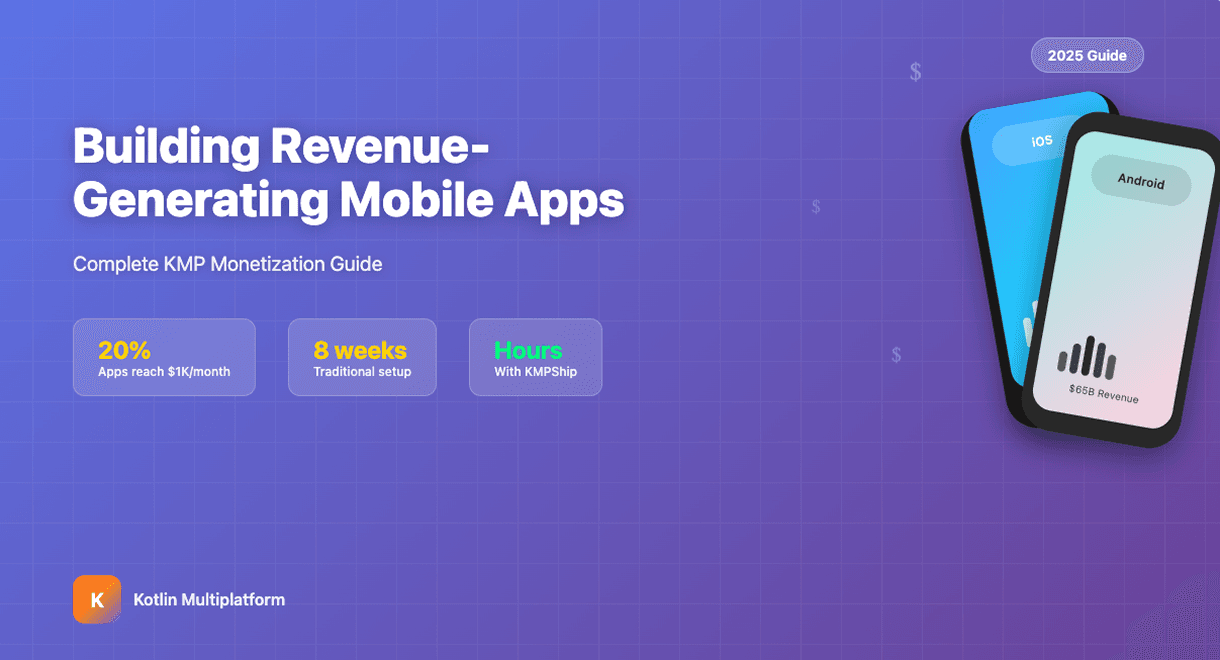
The harsh reality behind mobile app success
The mobile app monetization landscape in 2025
Revenue model distribution and performance
Platform economics: iOS vs Android monetization reality
Traditional implementation: the 8-week monetization nightmare
Android Google Play Billing implementation complexity
kotlin// Basic Google Play Billing setup - just the beginning class BillingManager(private val activity: Activity) : PurchasesUpdatedListener, BillingClientStateListener { private var billingClient: BillingClient = BillingClient.newBuilder(activity) .setListener(this) .enablePendingPurchases() .build() fun initializeBilling() { billingClient.startConnection(this) } override fun onBillingSetupFinished(billingResult: BillingResult) { if (billingResult.responseCode == BillingClient.BillingResponseCode.OK) { // Query available products queryAvailableProducts() // Query existing purchases queryExistingPurchases() } else { // Handle 12 different error codes handleBillingError(billingResult) } } private fun queryAvailableProducts() { val skuList = listOf("premium_monthly", "premium_yearly", "remove_ads") val params = SkuDetailsParams.newBuilder() .setSkusList(skuList) .setType(BillingClient.SkuType.SUBS) .build() billingClient.querySkuDetailsAsync(params) { billingResult, skuDetailsList -> // Process each SKU, handle pricing, descriptions, free trial periods // Implement complex state management for UI updates } } }
- Purchase verification: Server-side validation to prevent fraud
- Subscription state management: Handle upgrades, downgrades, cancellations, renewals
- Promotional offers: Free trials, discount periods, seasonal pricing
- Family sharing: Complex logic for shared subscriptions
- Edge case handling: Network failures, incomplete purchases, refunds
iOS StoreKit implementation challenges
swift// iOS StoreKit 2 subscription management import StoreKit @MainActor class StoreManager: ObservableObject { @Published var subscriptionStatus: SubscriptionStatus = .notSubscribed @Published var availableProducts: [Product] = [] private var updateListenerTask: Task<Void, Error>? = nil init() { updateListenerTask = listenForTransactions() Task { await loadProducts() await updateSubscriptionStatus() } } func listenForTransactions() -> Task<Void, Error> { return Task.detached { for await result in Transaction.updates { do { let transaction = try self.checkVerified(result) await self.updateSubscriptionStatus() await transaction.finish() } catch { // Handle verification failures, network issues } } } } func loadProducts() async { do { let products = try await Product.products(for: [ "premium_monthly", "premium_yearly", "lifetime_unlock" ]) await MainActor.run { self.availableProducts = products } } catch { // Handle App Store connectivity issues } } }
- App Store Review requirements: Specific UI patterns, restore purchase flows
- Subscription receipt validation: JWT verification, Apple's cryptographic signatures
- Offer codes and promotional pricing: Complex discount logic
- App Store Server Notifications: Webhook handling for subscription events
- TestFlight vs Production: Different validation endpoints and behaviors
Cross-platform synchronization nightmare
kotlin// Cross-platform subscription sync - simplified version class CrossPlatformSubscriptionManager { suspend fun syncSubscriptionStatus(userId: String) { val androidStatus = getGooglePlaySubscriptionStatus(userId) val iosStatus = getAppStoreSubscriptionStatus(userId) // Handle conflicts: user subscribed on both platforms val resolvedStatus = when { androidStatus.isActive && iosStatus.isActive -> { // Which subscription takes precedence? // How do you handle different expiration dates? resolveConflictingSubscriptions(androidStatus, iosStatus) } androidStatus.isActive -> androidStatus iosStatus.isActive -> iosStatus else -> SubscriptionStatus.INACTIVE } // Update user permissions across all app features updateUserPermissions(userId, resolvedStatus) // Sync with analytics, backend systems reportSubscriptionMetrics(userId, resolvedStatus) } private fun resolveConflictingSubscriptions( android: SubscriptionStatus, ios: SubscriptionStatus ): SubscriptionStatus { // Business logic for handling dual subscriptions // Consider refund policies, user experience, revenue optimization } }
- Server-side validation: Different APIs, receipt formats, security requirements
- Analytics integration: Platform-specific events, revenue tracking
- Customer support: Platform-specific refund processes, subscription management
- Compliance: GDPR, App Store policies, Google Play requirements
Hidden implementation costs
- Subscription management portal
- Refund request handling
- Platform-specific troubleshooting guides
- Revenue attribution
- Cohort analysis
- A/B testing infrastructure
- Integration with tools like RevenueCat, Mixpanel, or custom solutions
- Subscription flow testing across both platforms
- Edge case validation (network failures, app updates during purchases)
- Payment method testing (credit cards, carrier billing, gift cards)
Subscription management: where complexity multiplies
Why subscriptions are non-negotiable for sustainable revenue
The subscription state management maze
kotlin// Subscription state management - real-world complexity data class SubscriptionState( val status: SubscriptionStatus, val currentPeriodStart: Long, val currentPeriodEnd: Long, val cancelAtPeriodEnd: Boolean, val trialPeriodEnd: Long?, val promotional OfferApplied: PromotionalOffer?, val gracePeriodEnd: Long?, val pendingSubscriptionChange: SubscriptionTier?, val platformSource: Platform, val paymentMethodValid: Boolean ) enum class SubscriptionStatus { ACTIVE, PAST_DUE, // Payment failed, in grace period CANCELED, // User canceled, still active until period end UNPAID, // Payment failed, grace period expired PAUSED, // Android-specific: subscription paused ON_HOLD, // iOS-specific: billing issue IN_GRACE_PERIOD, // Attempting to recover failed payment EXPIRED, // Fully expired, no longer valid PENDING_RENEWAL, // Renewal in progress BILLING_RETRY // Platform attempting payment retry } class SubscriptionStateManager { fun handleSubscriptionUpdate(update: SubscriptionUpdate) { when (update.newStatus) { PAST_DUE -> { // Start grace period // Notify user of payment issue // Restrict premium features or maintain access? // Schedule retry notifications } CANCELED -> { // User canceled but subscription still active // Show win-back offers? // Prepare for access removal at period end // Track churn attribution } PAUSED -> { // Android-specific handling // Maintain partial access or full restriction? // Handle resume scenarios } // ... handle 15+ different state transitions } } }
Platform-specific subscription complexities
- Subscription groups: Complex hierarchy management for upgrade/downgrade flows
- Introductory offers: Pay-as-you-go, pay-up-front, free trial variations
- Family Sharing: Subscription sharing across family members with different Apple IDs
- Ask to Buy: Parental control integration affecting purchase flows
- Base plans and offers: Flexible pricing with multiple promotional structures
- Pausing and holding: User-initiated subscription pausing with configurable durations
- Account hold: Automatic pausing for payment issues with different recovery flows
- Prepaid plans: Alternative billing for markets without credit card adoption
Retention optimization challenges
KMPShip: the smart developer's monetization solution
What's included and pre-configured in KMPShip
Real customer success stories
Quantified time and cost savings
The Bloomeo success case study
Implementation comparison: traditional vs KMPShip approach
Traditional approach: 8 weeks of complexity
kotlin// Planning phase requirements - Research Google Play Billing Library documentation (constantly changing) - Study iOS StoreKit 2 migration requirements - Design cross-platform architecture - Plan server-side validation infrastructure - Research RevenueCat vs custom analytics implementation
kotlin// Sample of Android billing complexity you'll write from scratch class ProductionBillingManager : PurchasesUpdatedListener, BillingClientStateListener { private fun handlePurchaseSuccess(purchase: Purchase) { // Verify purchase signature locally if (!verifyPurchaseSignature(purchase)) { // Handle fraud attempt return } // Send to server for additional validation validatePurchaseOnServer(purchase) { serverResponse -> if (serverResponse.isValid) { // Update user permissions // Sync with analytics // Handle subscription state changes // Update UI across all app components } else { // Handle server validation failure // Potentially fraudulent purchase // Customer support escalation needed } } } }
swift// iOS subscription management you'll implement manually @MainActor class ManualStoreManager { func purchase(_ product: Product) async throws { let result = try await product.purchase() switch result { case .success(let verification): let transaction = try checkVerified(verification) // Update subscription status // Sync with Android state if needed // Handle family sharing scenarios // Update user interface // Send analytics events // Validate with server await transaction.finish() case .userCancelled: // Track cancellation attribution case .pending: // Handle pending state in UI @unknown default: // Handle future iOS cases } } }
- Server validation implementation
- Cross-platform state synchronization
- Edge case testing (network failures, app updates, etc.)
- Analytics integration
- Customer support tools
KMPShip approach: hours of configuration
- Create in-app purchases in App Store Connect (iOS) and Google Play Console (Android)
- Sign up for RevenueCat account and create project
- Add app identifiers and create offerings in RevenueCat dashboard
- Copy RevenueCat API keys for Android and iOS
properties# Add to local.properties REVENUE_CAT_ANDROID_API_KEY=your_android_key_here REVENUE_CAT_IOS_API_KEY=your_ios_key_here
kotlin// KMPShip provides ready-to-use payment use cases class PaywallViewModel( private val getPaywallUseCase: GetPaywallUseCase, private val purchaseProductUseCase: PurchaseProductUseCase, private val hasActiveSubscriptionUseCase: HasUserActiveSubscriptionUseCase, private val restorePurchaseUseCase: RestorePurchaseUseCase ) : ViewModel() { fun loadPaywall() = viewModelScope.launch { val paywall = getPaywallUseCase() // Paywall configuration loaded automatically // All products, pricing, and trials configured } fun purchasePremium(product: PaywallProduct) = viewModelScope.launch { try { val result = purchaseProductUseCase(product) if (result.isSuccess) { // User automatically gets premium features // Cross-platform sync handled by RevenueCat // Analytics events sent automatically } } catch (error: PurchaseError) { // Comprehensive error handling built-in showErrorMessage(error.userFriendlyMessage) } } fun checkSubscriptionStatus() = viewModelScope.launch { val hasActiveSubscription = hasActiveSubscriptionUseCase() // Subscription status synchronized across platforms } }
- Add "In-App Purchase" capability in Xcode (KMPShip documentation provides exact steps)
- RevenueCat SDK fully integrated and abstracted
- Business logic cleanly separated from payment infrastructure
- Cross-platform synchronization handled automatically
- All subscription states and edge cases managed
- Production-ready error handling and retry logic included
Feature comparison matrix
| Feature | Traditional (8 weeks) | KMPShip (1.5 hours) |
|---|---|---|
| iOS StoreKit integration | Manual implementation | ✅ Pre-configured |
| Google Play Billing | Manual implementation | ✅ Pre-configured |
| Cross-platform sync | Custom architecture needed | ✅ Built-in |
| Server validation | Build from scratch | ✅ RevenueCat included |
| Subscription state management | Complex manual logic | ✅ Handled automatically |
| Promotional offers | Platform-specific code | ✅ Unified API |
| Family sharing support | iOS-specific implementation | ✅ Included |
| Grace period handling | Manual state machine | ✅ Built-in logic |
| Customer support tools | Build custom dashboard | ✅ RevenueCat dashboard |
| App Store compliance | Research and implement | ✅ Pre-validated |
| A/B testing framework | Custom implementation | ✅ Ready for experiments |
Code example: KMPShip simplicity in action
kotlin// Complete subscription purchase with KMPShip use cases class PaywallViewModel( private val purchaseProductUseCase: PurchaseProductUseCase, private val getPaywallUseCase: GetPaywallUseCase ) : ViewModel() { fun purchasePremium(product: PaywallProduct) = viewModelScope.launch { try { val result = purchaseProductUseCase(product) if (result.isSuccess) { // User automatically gets premium features // RevenueCat handles cross-platform sync // Analytics events sent automatically // Subscription state updated across devices navigateToWelcomeScreen() } } catch (error: PurchaseError) { // Comprehensive error handling built-in showErrorMessage(error.userFriendlyMessage) } } }
Compliance and risk reduction with KMPShip
Common App Store rejection reasons (KMPShip prevents)
- Restore purchases functionality (required by Apple)
- Proper subscription management UI patterns
- Correct handling of subscription group hierarchies
- Family sharing compliance
- Promotional offer implementation standards
- Play Billing Library integration requirements
- Subscription cancellation flows
- Grace period handling
- Proper purchase acknowledgment
- Real-time developer notifications setup
Scaling and growth with cross-platform monetization
Multiple revenue streams architecture
Global market monetization strategies
Why successful developers choose KMPShip: the competitive advantage
The compound effect of faster iteration
Real developer testimonials prove the point
The time-to-market multiplier effect
Your monetization decision: manual complexity vs smart implementation
The developer's dilemma solved
Success stories validate the smart path
The competitive landscape reality
Your next step: join successful developers
Quick Monetization Questions
- How much does cross-platform development cost? - Real cost breakdown vs KMPShip
- What support is included? - Development help and community access
- How fast can I get started? - From zero to revenue-ready app
Related Monetization Reading
- KMP vs Flutter vs React Native comparison - Choose the right framework for revenue
- Production-ready KMP development - Technical implementation guide
- KMP starter guide - Getting started tutorial
Start Building Revenue Today
Build your KMP app faster
Skip the setup and start shipping with a production-ready Kotlin Multiplatform starter kit.
