From idea to App Store in weeks: how I built Snappit with KMPShip
A real-world case study of building a cross-platform video journaling app for Android and iOS using Kotlin Multiplatform and KMPShip. See exactly what's possible when you ship faster.
Posted by
 Vivien Mahé
Related reading
Set up a Kotlin Multiplatform SQLDelight database
Learn how to set up a Kotlin Multiplatform SQLDelight database with CRUD operations, migrations, and platform-specific drivers.
Kotlin Multiplatform image loading with Coil 3 in 2026
Learn how to load and cache images in Kotlin Multiplatform using Coil 3 with this comprehensive guide for Compose Multiplatform.
Kotlin Multiplatform in-app purchases with RevenueCat
Learn how to implement in-app purchases and subscriptions in your Kotlin Multiplatform app using RevenueCat with our step-by-step guide.
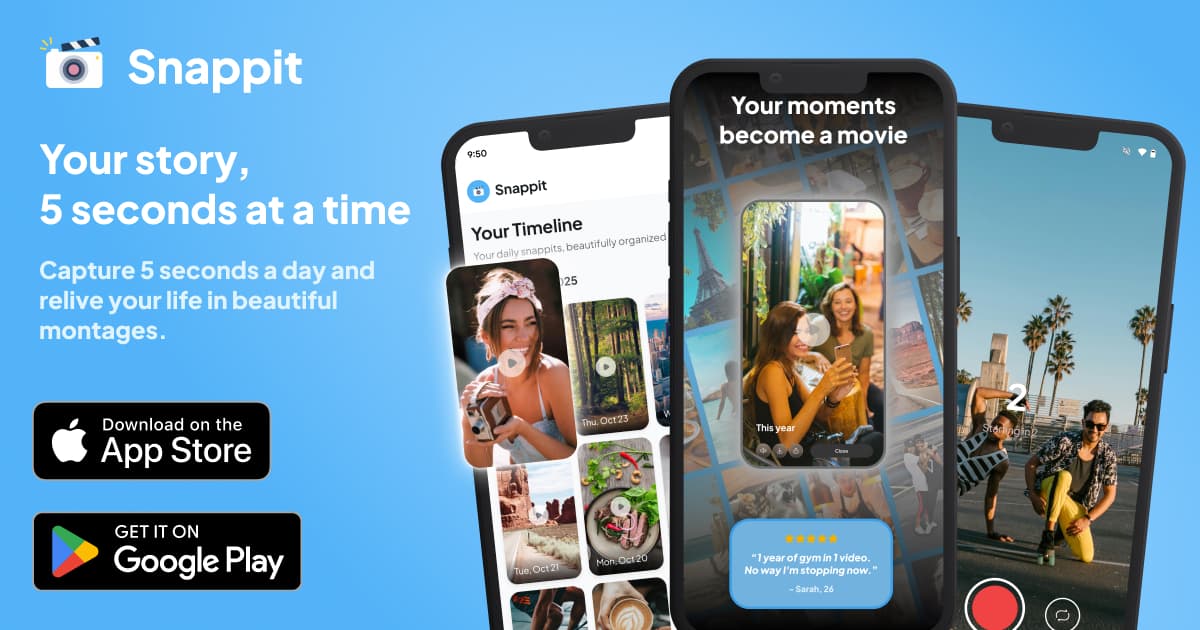
The best way to prove something works is to use it yourself
What is Snappit?
- Journaling takes too much time and discipline
- Photo albums require curation and organization
- Video content creation is overwhelming and performative
- Weekly montages (~35 seconds)
- Monthly compilations (~2.5 minutes)
- Yearly recaps (~30 minutes)
Snappit at a glance
- 5-second daily videos - Quick, pressure-free recording
- Automatic montages - Weekly, monthly, and yearly compilations
- Streak tracking - Stay motivated with gamification
- 27 collectible badges - Rewards for consistent recording
- 100% private - All videos stored locally on device
- Cross-platform - Same experience on Android and iOS
Why I chose to build Snappit with KMPShip
1. One codebase, two platforms, native performance
2. Real code sharing that actually works
| Layer | Code Sharing |
|---|---|
| Business logic | 100% shared |
| ViewModels | 100% shared |
| Navigation | 100% shared |
| Database | 100% shared |
| Networking | 100% shared |
| UI (Compose) | 95%+ shared |
| Platform features | Platform-specific implementations behind shared interfaces |
3. KMPShip gave me a massive head start
- Project structure and build configuration
- Dependency injection with Koin
- Navigation with Voyager
- HTTP client with Ktor
- Database with Room
- Push notifications
- In-app subscriptions with RevenueCat
- Analytics integration
- CI/CD pipelines
The KMPShip features powering Snappit
Clean architecture that scales
snappit/
├── shared/
│   ├── core/          # DI, design system, analytics
│   ├── data/          # Repositories, Room DB, data sources
│   ├── domain/        # Entities, use cases, interfaces
│   ├── presentation/  # ViewModels, Compose UI, screens
│   └── gamification/  # Badge and rewards system
├── androidApp/        # Android-specific code
└── iosApp/            # iOS-specific code
Dependency injection with Koin
kotlin// From Snappit's MainScreen val viewModel = koinViewModel<MainViewModel>() val alarmeeService: MobileAlarmeeService = koinInject()
Navigation with Voyager
- Tab-based navigation for the main app (Home, Record, Timeline, Settings)
- Stack navigation for flows like onboarding and paywall
- Modal navigation for video playback and settings sheets
kotlin// Tab navigation in Snappit TabNavigator( tab = HomeTab, tabDisposable = { TabDisposable(it, tabs) } ) { tabNavigator -> Scaffold( bottomBar = { NavigationBar { tabs.forEach { tab -> NavigationBarItem( selected = tabNavigator.current == tab, onClick = { tabNavigator.current = tab }, icon = { Icon(tab.options.icon) }, label = { Text(tab.options.title) } ) } } } ) { paddingValues -> CurrentTab() } }
Room database for offline-first architecture
RoomClipModel- Video clips with metadataRoomMontageModel- Generated montagesRoomStreakCacheModel- Streak calculationsRoomBadgeModel- Unlocked badgesRoomMemoryCardModel- Memory cardsRoomUserProgressModel- User progress trackingRoomPointsTransactionModel- Reward pointsRoomCosmeticModel- User customizations
RevenueCat for subscriptions
kotlin// From Snappit's RevenueCatDataSource suspend fun purchaseProduct(productId: String): Result<Unit> suspend fun isUserSubscribed(): Boolean fun isUserSubscribedAsFlow(): Flow<Boolean>
- Weekly subscriptions ($2.99)
- Yearly subscriptions ($24.99)
- Free trials (7 days)
- Purchase restoration
Push notifications with Alarmee
kotlin// Daily reminder scheduling in Snappit alarmeeService.local.schedule( alarmee = Alarmee( uuid = RECORD_CLIP_REMINDER_ALARM_ID, notificationTitle = title, notificationBody = body, scheduledDateTime = clipReminderAlarm, repeatInterval = RepeatInterval.Daily, androidNotificationConfiguration = AndroidNotificationConfiguration( channelId = DAILY_RECORD_CLIP_NOTIFICATION_CHANNEL_ID ), iosNotificationConfiguration = IosNotificationConfiguration(), ) )
Analytics for data-driven decisions
- Mixpanel for event tracking
- AppsFlyer for attribution
- Firebase Analytics for general analytics
- Sentry for crash reporting
kotlin// Event tracking in Snappit analyticsTracker.trackEvent(AnalyticsEvent.SnappitRecorded) analyticsTracker.trackEvent(AnalyticsEvent.MontageGenerated(type = montageType)) analyticsTracker.trackEvent(AnalyticsEvent.BadgeUnlocked(badgeId = badge.id))
Firebase authentication
kotlin// Auth state management in Snappit val isUserAuthenticated = IsUserAuthenticatedUseCase() val setAuthProvider = SetUserAuthProviderUseCase()
Beyond KMPShip: Snappit-specific features
Video recording and processing
- Android: CameraX with Camera2 for video capture
- iOS: AVFoundation with AVCaptureSession
Montage generation
- Reading video files from storage
- Concatenating videos in chronological order
- Adding date overlays to each clip
- Generating thumbnails for previews
- Saving the final montage
Gamification system
- 27 collectible badges across 4 categories
- Streak tracking with current and longest streak
- Reward points for various actions
The results: what shipping with KMPShip looks like
Development timeline
| Feature | Without KMPShip | With KMPShip |
|---|---|---|
| Project setup | 2-3 days | Already done |
| Navigation | 3-5 days | Already done |
| Database setup | 2-3 days | Already done |
| Subscriptions | 1-2 weeks | Already done |
| Push notifications | 3-5 days | Already done |
| CI/CD pipeline | 1-2 weeks | Already done |
| Total saved | 4-6 weeks | - |
Code sharing metrics
- 95%+ code shared between Android and iOS
- 8 shared database tables with identical schemas
- 27 shared ViewModels powering the app
- 1 codebase to maintain instead of 2
App quality
Lessons learned building Snappit
1. Start with Scale tier if you're building a real product
2. The architecture matters more than you think
3. Platform-specific code is fine when needed
4. RevenueCat is worth every penny
Try Snappit yourself
- App Store - iOS, iPad, Mac (Apple Silicon)
- Google Play - Android
Build your own app with KMPShip
- A video app like Snappit
- A social app with feeds and notifications
- A subscription-based service
- A productivity tool
- An e-commerce experience
- Discover tier (Free) - Try KMPShip with no commitment
- MVP tier ($169) - Ship your first product fast
- Scale tier ($349) - Build a real business like Snappit
Frequently asked questions
How long did it take to build Snappit?
Is Snappit's code available?
What tier of KMPShip would I need for an app like Snappit?
Can I build a video app with KMPShip?
Does KMPShip include video processing libraries?
Continue your KMPShip journey
- KMPShip pricing: a tier for every stage - Find the right tier for your project
- How to set up Kotlin Multiplatform: complete guide - Get started with KMP development
- Big Tech's secret weapon: how Netflix, McDonald's & Cash App ship faster with KMP - See who else uses KMP
Build your KMP app faster
Skip the setup and start shipping with a production-ready Kotlin Multiplatform starter kit.
